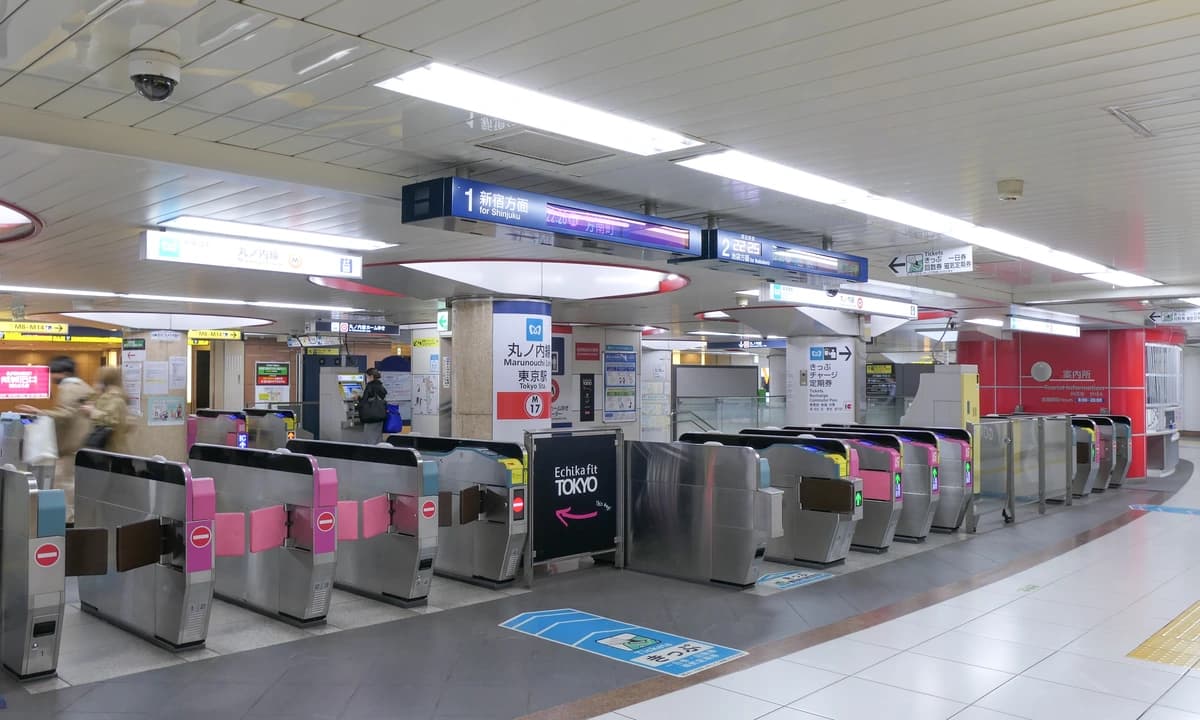
 Photo: MaedaAkihiko / Wikimedia Commons, CC BY-SA 4.0
Japan IC Card 2026: Welcome Suica + Apple/Google Pay
This guide includes affiliate links. We earn a small commission at no extra cost to you.
Last updated: May 4, 2026.
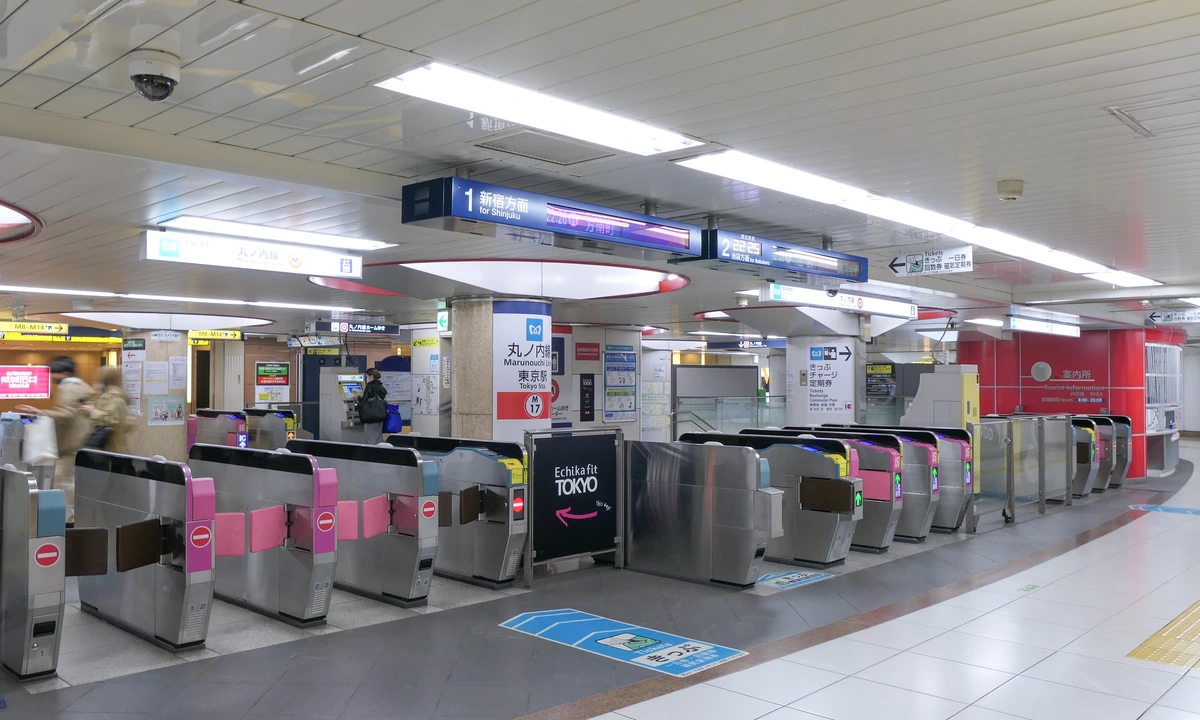 Tokyo Metro Tokyo Station ticket gates, every gate shown has a blue IC card reader; an IC card turns this whole concourse into a single tap. Photo: MaedaAkihiko / Wikimedia Commons, CC BY-SA 4.0.
If you are flying into Japan in 2026, the single biggest change is the Welcome Suica Mobile app. It is a free, iPhone-only digital tourist card from JR East — 180-day validity, no deposit, no airport counter line. For Android, the original Mobile Suica still works but needs a Japan-bought phone with the right chip inside. Everyone else has two strong paths: the Welcome Suica Mobile app (iPhone) or a physical card at the airport counter.
An IC card (integrated-circuit transit card) is the prepaid tap-to-pay card that works on almost every train, bus, and subway in Japan, plus convenience stores and vending machines. In 2026 the three main tourist brands are Suica (Tokyo / JR East), Pasmo (Tokyo / metro and private railways), and ICOCA (Osaka / JR West), all three work on each other's networks nationwide.Planning a first trip? A Welcome Suica Mobile card on iPhone plus a Klook Tokyo Subway 24-hour pass covers most first-day travel for under 1,500 yen total.
Across years of Japanese transit-product evolution, the rules below remain stable across the major operators, confirm any specifics on the railway operator's site before you fly.
Need-to-know facts
| Detail | Info |
|---|---|
| Who this guide is for | First-time and repeat visitors to Japan in 2026 who want a single transit card for trains, buses, and konbini |
| Best option for iPhone users | Welcome Suica Mobile app, free, 180-day validity, no deposit, no counter wait |
| Best option for Android users (non-Japan phone) | Physical Welcome Suica or Pasmo Passport at the airport counter |
| Best option for long stays or repeat trips | Regular Suica / Pasmo / ICOCA: 500-yen refundable deposit, 10-year validity |
| Typical starting balance | 1,500 to 2,000 yen (covers 3 to 4 short train rides) |
| Works on Shinkansen? | Only via Mobile Suica + Smart EX app, or a separate Shinkansen ticket |
| Refund at end of trip? | Yes for physical cards; no for Welcome Suica Mobile (balance lapses after 180 days) |
Table of Contents
- What is an IC card?
- Which card should you buy in 2026?
- Welcome Suica Mobile (2026 update)
- How to set up Mobile IC on iPhone (Apple Pay)
- How to set up Mobile IC on Android (Google Pay)
- Where to buy a physical card
- How to use, recharge, and check your balance
- Refund, balance carry-over, and expiry
- Pasmo vs Suica vs ICOCA comparison
- Transit routes for anime tourists in Tokyo and Osaka
- FAQ: Frequently Asked Questions
Weekly Tips
Get weekly anime travel tips — Join 1,000+ fans
What is an IC card?
An IC card (integrated-circuit card, or 交通系ICカード in Japanese) is a plastic or digital contactless card that stores a cash balance. You load money onto it once, then tap it against a blue card reader at any train gate, bus terminal, or konbini cashier. The fare is deducted automatically, no paper ticket, no coin counting, no reading the fare map in kanji.
The technology is called FeliCa, a Japanese contactless chip that predates Apple Pay and Google Pay by more than a decade. FeliCa is faster than the global NFC standard, which is why Japanese ticket gates process hundreds of commuters per minute without lag.
There are ten regional IC card brands — Suica, Pasmo, ICOCA, Kitaca, TOICA, manaca, PiTaPa, SUGOCA, nimoca, and Hayakaken, and they are fully interoperable nationwide. A Suica bought in Tokyo taps into an Osaka subway, a Kyoto bus, and a Fukuoka train without any conversion. For a tourist, the brand does not matter; pick whichever is easiest on arrival.
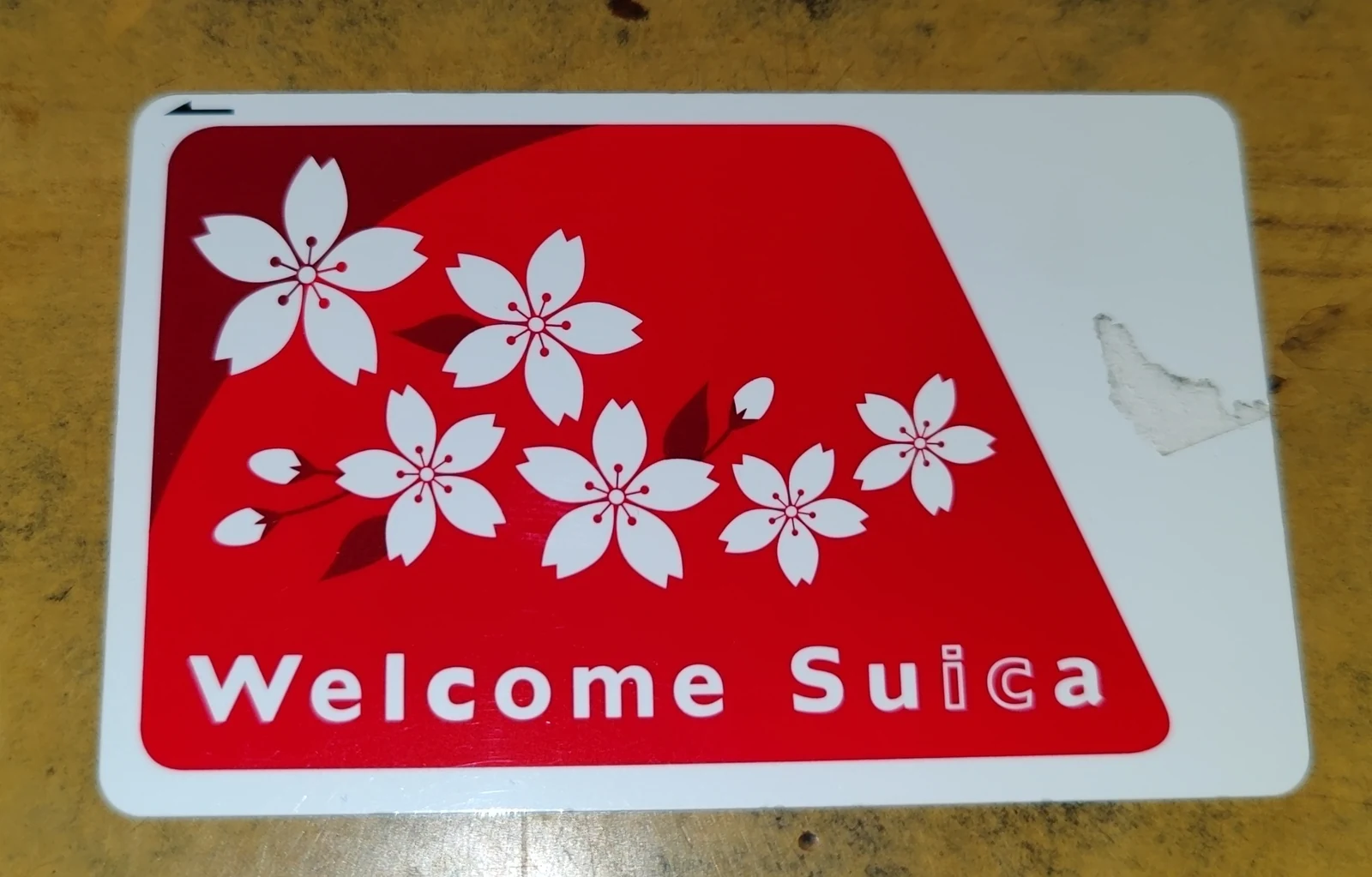 Welcome Suica — the physical no-deposit tourist version of Suica, sold at JR East airport counters. Photo: Ravi Dwivedi / Wikimedia Commons, CC BY-SA 4.0.
Which card should you buy in 2026?
The decision tree is simpler than it was before the Welcome Suica Mobile app launched.
- iPhone (any model from iPhone 8 onwards): Install the free Welcome Suica Mobile app. No deposit, 180-day validity, issue it the moment your plane lands. Best option for most visitors.
- Android bought in Japan: Use Google Wallet's built-in Mobile Suica. Your phone has the required FeliCa chip.
- Android bought outside Japan: Your phone almost certainly does not have FeliCa, so mobile Suica will not work. Buy a physical Welcome Suica or Pasmo Passport at the airport counter.
- Repeat visitor or stay over 180 days: Get a regular Suica, Pasmo, or ICOCA with the 500-yen refundable deposit. 10-year validity, balance carries between trips.
- Arriving in Osaka instead of Tokyo: Get an ICOCA at the Kansai Airport JR West counter.
Stay Connected in Japan
Get an eSIM before you land — instant activation, no physical SIM swap needed. Data plans from ¥1,000 for 7 days.
from ¥1,000 / 7 days
Compare eSIM PlansWelcome Suica Mobile (2026 update)
The Welcome Suica Mobile app is the headline 2026 change. JR East launched it for iPhone in late 2024, and from spring 2026 it also supports Shinkansen reservations directly inside the app.
- Cost: Free. No deposit, no issuance fee.
- Validity: 180 days from issuance (five times longer than the paper tourist card).
- Device: iPhone with iOS 17.2 or later, or Apple Watch Series 3 or later. No Japanese App Store account needed.
- Top-up: Foreign Visa and Mastercard work in-app. If one fails, cash top-up at any konbini is always available.
- What it is not: Not an unlimited pass. Every ride still deducts its normal fare. If you see an advertised "7-day unlimited" Suica pass, check the official JR East Welcome Suica Mobile page before buying — as of May 2026 the app is pay-as-you-go, not flat-rate.
- Reservations: From spring 2026 the app links with JR East Train Reservation, so you can buy Shinkansen e-tickets to Karuizawa, Sendai, or Tohoku directly in the app.
If you are on iPhone, this is the option I recommend to every first-time visitor.
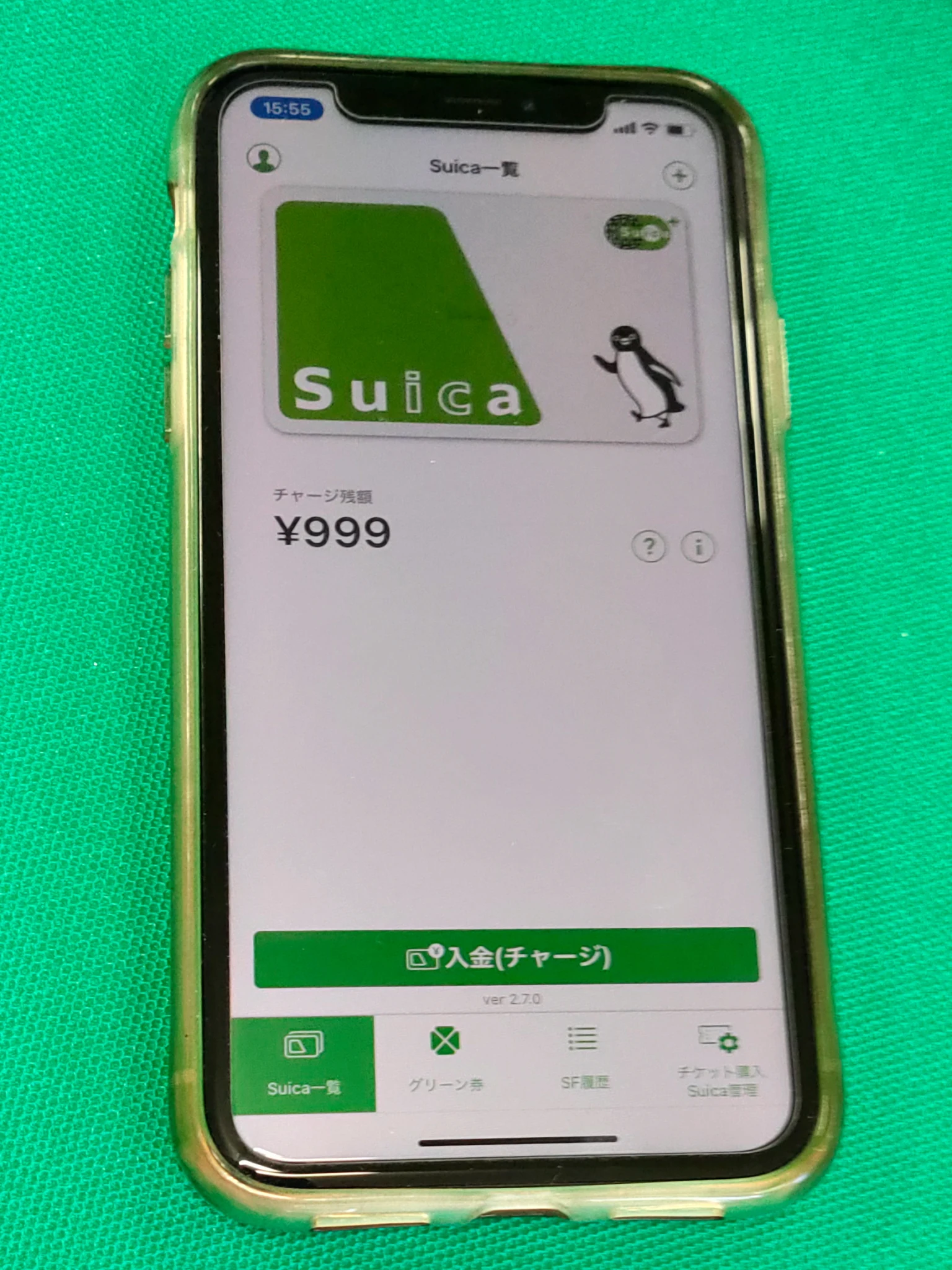 Mobile Suica running on an iPhone — the Suica card lives on the FeliCa chip and shows current balance inside the JR East app. Photo: Keita.Honda / Wikimedia Commons, CC BY-SA 4.0.
How to set up Mobile IC on iPhone (Apple Pay)
Two paths on iPhone: the Welcome Suica Mobile app (tourist, 180 days) and Apple Wallet's built-in Suica (residents, unlimited validity). Both use the same FeliCa chip.
- Update iOS. Settings → General → Software Update. You need iOS 17.2 or later. iPhone 7 and earlier do not have the FeliCa chip.
- Download the app. App Store search: "Welcome Suica Mobile". Free, published by East Japan Railway Company.
- Sign up with email. Tap Sign Up, enter email, confirm the verification code. No Japanese Apple ID needed.
- Issue the card. Tap Issue New Card, accept terms, pick a starting balance of 1,000 to 10,000 yen.
- Top up with a credit card. Add a Visa or Mastercard. Foreign cards usually work; if one fails, try another or use cash top-up at a konbini.
- Tap at the gate. Hold the top of the iPhone (where the FeliCa antenna sits) flat against the blue reader. Chime, gate opens. No need to unlock or open the app.
Alternative for stays over 180 days: Apple Wallet's built-in Suica. Wallet → plus → Travel Card → Suica. Not time-limited.
How to set up Mobile IC on Android (Google Pay)
Android is the tricky platform. The FeliCa chip needed for mobile Suica is only built into phones sold in the Japanese market (Docomo, au, SoftBank, and Japan-variant Pixel). A Pixel 8 bought in the US or a Galaxy bought in the UK will not work, no matter what apps you install.
Quick test: Open Google Wallet and try to add a new card. If "Transit cards — Japan" appears, your phone qualifies. If not, skip to the physical card section.
For the small number of Android users whose phones do qualify:
- Open Google Wallet. Install from Play Store if missing.
- Add a new card. Plus sign → Transit Card → Suica.
- Pick a starting balance. 1,000 to 10,000 yen.
- Register a credit card. Japanese-issued cards work best. Foreign cards fail more often on Android than on iPhone.
- Tap at the gate. Unlike iPhone, Android usually needs the screen on (but not unlocked). The NFC antenna is often on the back middle, not the top.
If your phone does not qualify, buy a physical card at the airport instead.
Where to buy a physical card
Physical cards remain the default for most Android users and for anyone who prefers a tangible backup.
- Narita Airport: JR East Travel Service Centers in Terminal 1 (B1F) and Terminal 2 (B1F) sell both physical Welcome Suica (no deposit, 28 days) and regular Suica (500-yen deposit). JR ticket machines in the same basement also sell regular Suica — press the green "English" button top-right.
- Haneda Airport: Tokyo Monorail ticket office (3F arrivals concourse) sells Suica. Keikyu Line machines sell Pasmo.
- Kansai International Airport (KIX): JR West machines at the KIX JR station sell ICOCA. English menu, minimum 1,500-yen balance plus 500-yen deposit.
- Any major station: Green JR machines sell Suica, metro machines sell Pasmo. Physical Suica has been in tight supply since 2024 due to a global chip shortage; Pasmo has been fully stocked throughout 2026.
Pro tip: Decide before you land. If mobile, set it up on the airplane during descent so you can tap through the airport station gate immediately. If physical, head to the counter before leaving arrivals.
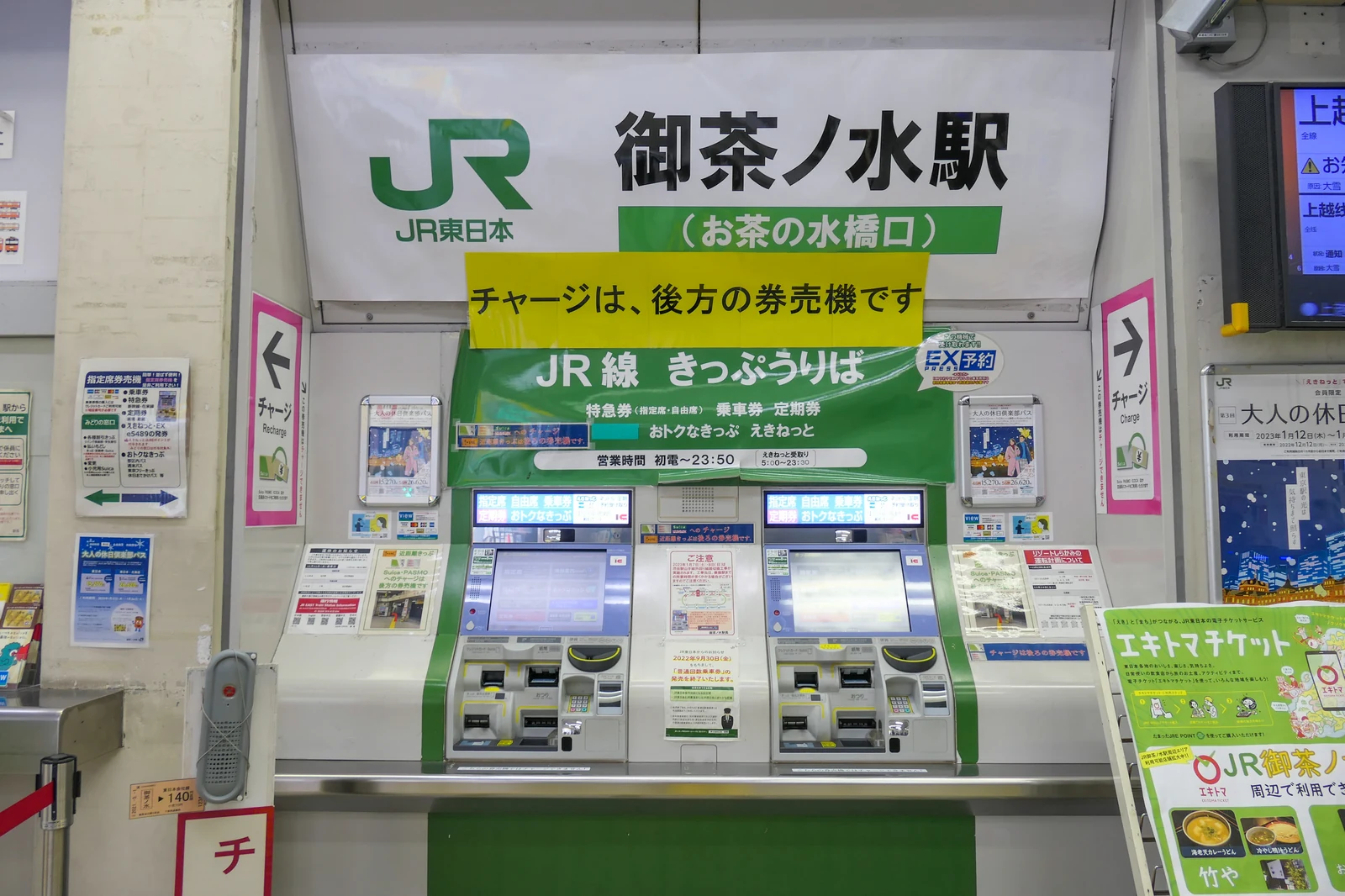 JR East ticket gate area at Ochanomizu Station — the green JR signage, IC card readers, and "JR線 きっぷうりば" ticket counter you'll see at every JR East gate. Photo: MaedaAkihiko / Wikimedia Commons, CC BY-SA 4.0.
How to use, recharge, and check your balance
Daily workflow is identical for physical and mobile cards.
Tap in, tap out. Find a gate with the blue IC symbol (most gates qualify), tap flat on the blue pad, chime, gate opens, balance flashes on the display. At the destination, tap again — fare is deducted and the new balance appears.
For the full first-timer walkthrough, including ticket gates, women-only cars, Shinkansen reservations, and jet-lag day-one routes from each airport — see How to Use Trains in Japan.
If balance is too low to exit, use the fare adjustment machine (精算機, "seisanki", yellow signs near the gates). Insert card, add cash, walk through.
Recharge (チャージ, "cha-ji"):
- Ticket machine: Insert card, select charge, pick 1,000 / 2,000 / 3,000 / 5,000 / 10,000 yen, insert cash. Maximum balance 20,000 yen.
- Convenience store (recommended): Hand the card to the cashier at 7-Eleven, Lawson, or FamilyMart, say "charge", give the amount in cash. Under 20 seconds.
- On your phone: Welcome Suica Mobile app or Apple Wallet → tap Suica → Add Money → confirm with Face ID.
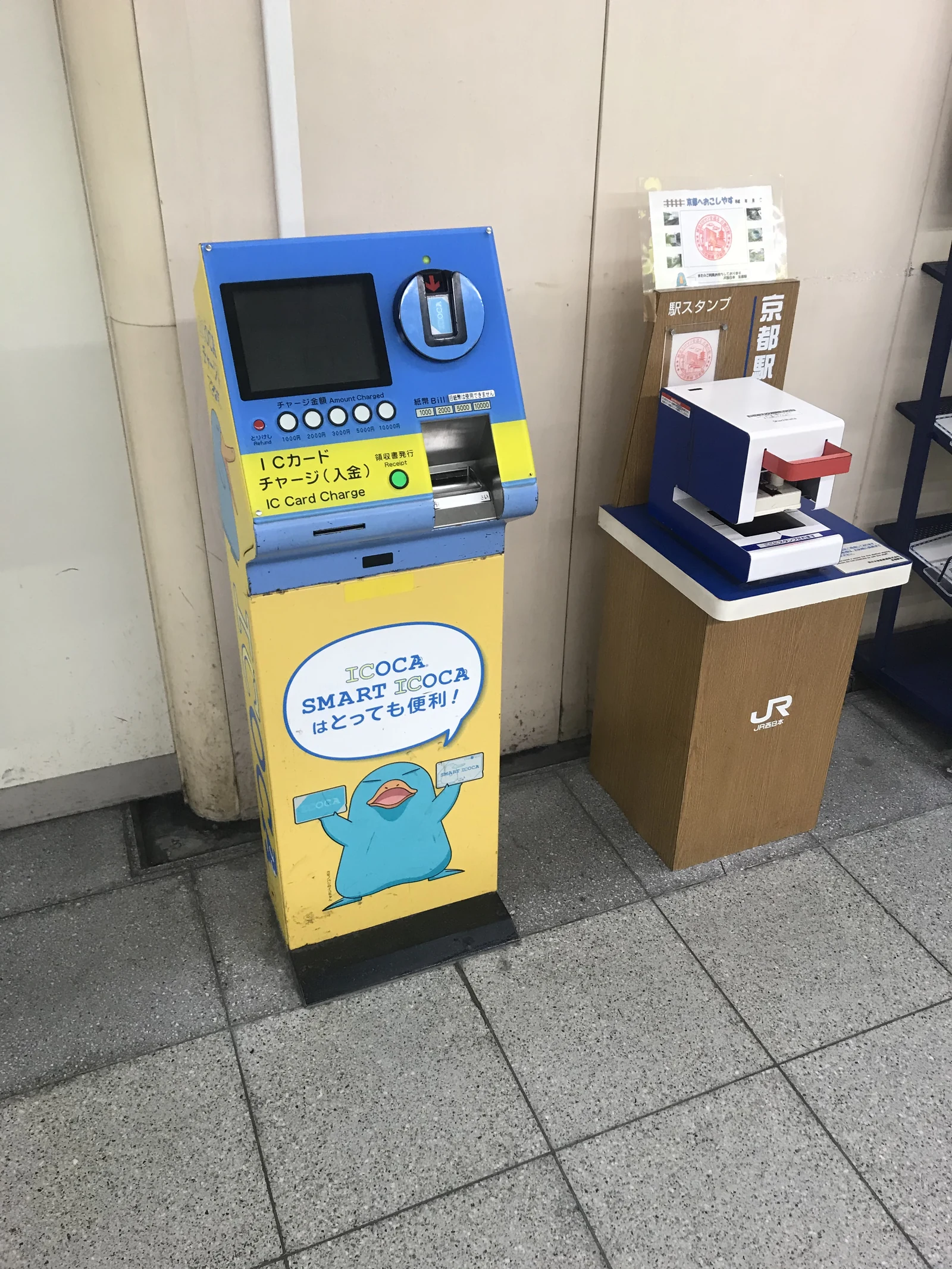 Dedicated ICOCA / SMART ICOCA charge machine inside a JR West station in Kyoto, every major IC card region has these standalone top-up kiosks next to the ticket machines. Photo: Hahifuheho / Wikimedia Commons, CC0 (public domain).
Checking your balance: on mobile, it is on the app's front screen. On physical cards, the balance flashes on the gate reader every tap, or on any ticket machine when you insert the card.
Refund, balance carry-over, and expiry
Rules differ by card type.
Regular Suica, Pasmo, ICOCA (500-yen deposit cards): 10-year validity from last use. Return at a JR East station window (or the matching regional operator) for a 500-yen deposit refund. Leftover balance is refunded minus a 220-yen fee; if balance is zero, full 500 yen comes back. Carry-over between trips works — just tap in at least once every 10 years.
Physical Welcome Suica (28-day tourist card): 28 days from first use. Non-refundable. Load 1,000 to 2,000 yen and top up as needed.
Welcome Suica Mobile (180-day app card): 180 days from issuance. Non-refundable; balance lapses at day 181. Returning within 180 days keeps the balance. Top up 2,000 to 3,000 yen at a time rather than 10,000 yen all at once.
Apple Wallet Suica (built-in, not the tourist app): No expiration while the card is on your device. Refund requires a Japanese bank account or credit card — mostly a resident workflow.
Pasmo vs Suica vs ICOCA comparison
All three work on each other's networks nationwide, but the buying location, deposit rules, and tourist variants differ.
| Feature | Suica | Pasmo | ICOCA |
|---|---|---|---|
| Operator | JR East | Tokyo Metro & private railways | JR West |
| Buying location | Tokyo-area JR stations, Narita / Haneda | Tokyo Metro stations, Haneda | Kansai-area JR West stations, KIX |
| Deposit | 500 yen (refundable) | 500 yen (refundable) | 500 yen (refundable) |
| Tourist variant (physical) | Welcome Suica (no deposit, 28 days) | Pasmo Passport (500-yen fee, 28 days) | ICOCA & Haruka Set (discount for airport-to-Kyoto route) |
| Tourist variant (mobile) | Welcome Suica Mobile (iPhone, 180 days) | Mobile Pasmo (Japan phones only) | Mobile ICOCA (Japan phones only) |
| Works nationwide? | Yes | Yes | Yes |
| Mascot | Penguin | Robot duck | Platypus (Ico-chan) |
| Best for | First-time Tokyo visitors on iPhone | Android users landing at Haneda | Visitors starting in Osaka or Kansai |
Bottom line for a first-time tourist in 2026: iPhone + Welcome Suica Mobile if you are starting in Tokyo; physical ICOCA if you are starting in Osaka; physical Pasmo as a universal Android fallback.
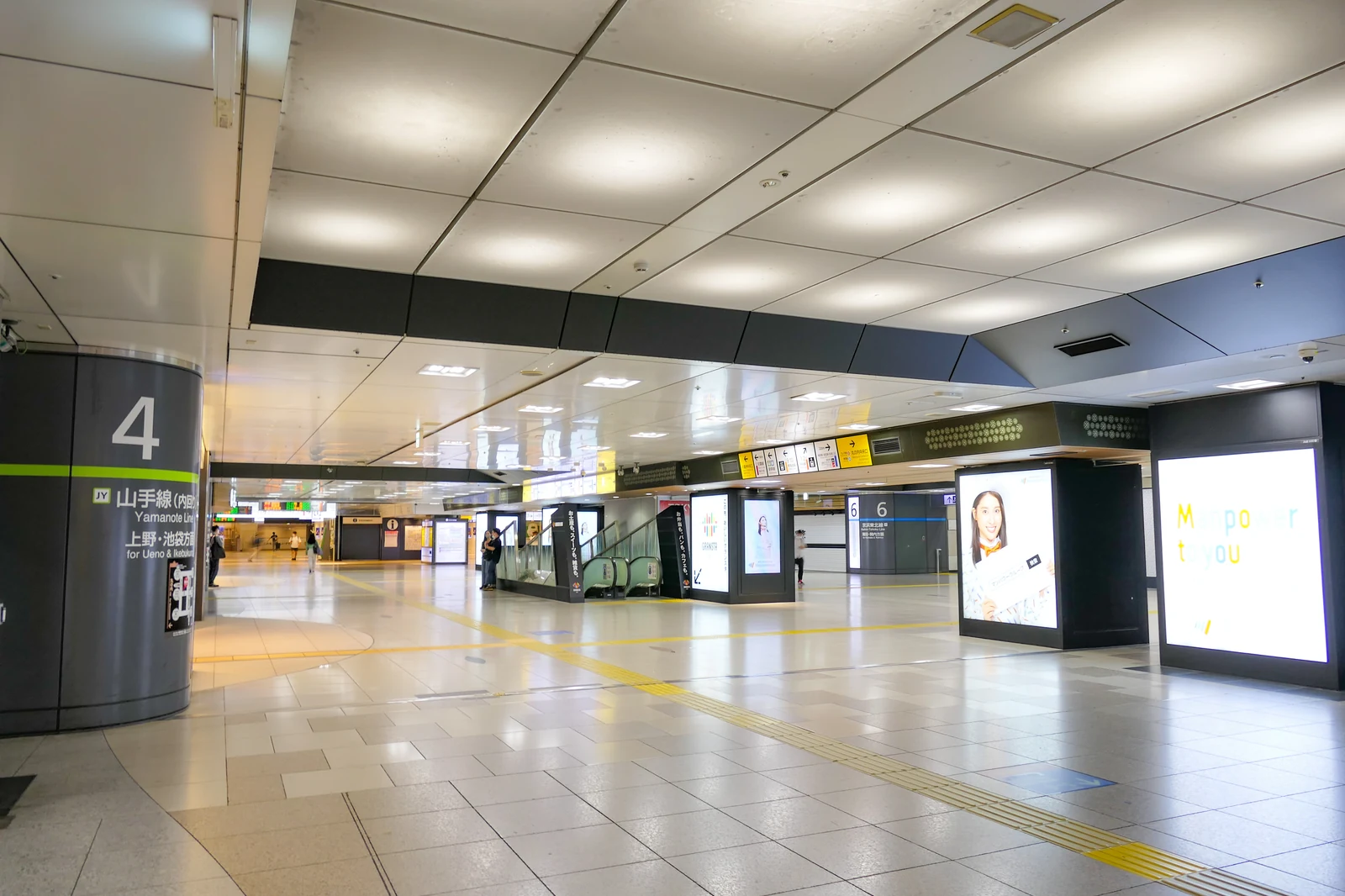 JR East concourse at Tokyo Station with Yamanote Line platform 4 signage, the kind of corridor every IC-card tourist walks through when transferring between Shinkansen, Yamanote, and metro lines. Photo: MaedaAkihiko / Wikimedia Commons, CC BY-SA 4.0.
Transit routes for anime tourists in Tokyo and Osaka
IC card fares are 1 to 10 yen cheaper than paper-ticket fares because cards charge the exact amount while paper tickets round up to the nearest 10 yen. These fares are accurate as of May 2026.
Tokyo anime-tourist routes
| Route | Line | Time | IC fare |
|---|---|---|---|
| Shinjuku → Akihabara | JR Chuo-Sobu | 18 min | 178 yen |
| Shinjuku → Ikebukuro | JR Yamanote | 5 min | 157 yen |
| Shinjuku → Nakano Broadway | JR Chuo Rapid | 5 min | 157 yen |
| Tokyo → Akihabara | JR Yamanote | 4 min | 146 yen |
| Shimbashi → Odaiba (Unicorn Gundam) | Yurikamome | 15 min | 339 yen |
| Shinjuku → Shibuya | JR Yamanote | 5 min | 157 yen |
Full shopping walkthroughs: Akihabara Complete Guide, Ikebukuro Anime Guide, and Nakano Broadway Guide.
Osaka anime-tourist routes
| Route | Line | Time | IC fare |
|---|---|---|---|
| Shin-Osaka → Namba (for Den Den Town) | Midosuji Line | 15 min | 280 yen |
| Kansai Airport → Namba | Nankai regular | 47 min | 970 yen |
| Namba → Universal City | JR Namba → Yumesaki | 30 min | 190 yen |
| Namba → Shinsaibashi | Midosuji Line | 2 min | 190 yen |
See the Osaka Anime Guide for shopping and collab cafe itineraries in Den Den Town.
Need a Japan Rail Pass on top of your IC card?
An IC card covers every local train, bus, and subway but does not cover the Shinkansen between cities. If you plan to hit Tokyo, Kyoto, Osaka, and maybe Hiroshima in a single trip, a Japan Rail Pass pays for itself after 3 Shinkansen segments. Compare Japan Rail Pass prices on Klook, the 7-day pass is around 50,000 yen and still the best deal for multi-city trips.
And for international power adapters (Japan uses Type A, 100 V, 50/60 Hz), grab a universal travel adapter on Amazon Japan on arrival, or pre-order before you fly.
FAQ: Frequently Asked Questions
Can I use my Suica balance on a future trip to Japan?
For physical Suica, Pasmo, and ICOCA, yes — 10 years from the date of last use, balance carries between trips. For Welcome Suica Mobile, the balance is valid for 180 days from issuance; return within that window and it is still there, after 180 days it is forfeited.
Does the Welcome Suica Mobile app need a Japanese phone number or Apple ID?
No. The app supports English, does not require a Japanese Apple ID, and lets you sign up with any email. You need iOS 17.2 or later (iPhone 8 or newer) and a Visa or Mastercard for top-ups.
Can Android phones bought outside Japan use Mobile Suica?
Usually not. Mobile Suica requires the FeliCa chip, which is only built into Japan-market Android phones. A Pixel, Galaxy, or Xiaomi bought in the US, UK, Europe, or Asia outside Japan almost certainly does not have FeliCa. Buy a physical Welcome Suica or Pasmo Passport at the airport counter instead.
What happens if my IC card balance runs out mid-journey?
Use the fare adjustment machine (seisanki) next to every ticket gate. Insert the card, add the cash difference, the machine updates your card. No penalty, no paperwork.
Can I use an IC card on the Shinkansen (bullet train)?
A regular IC card does not work on Shinkansen gates. The exception is Mobile Suica linked to the Smart EX app (or, from spring 2026, Welcome Suica Mobile linked to JR East Train Reservation), which lets you buy Shinkansen e-tickets on your phone and tap through both local and bullet-train gates.
Is there a 7-day unlimited Suica pass for tourists?
As of May 2026, no — Welcome Suica Mobile is pay-as-you-go, not an unlimited pass. For flat-rate travel, look at the Tokyo Subway 24/48/72-hour pass or the Japan Rail Pass. Always check the JR East Welcome Suica Mobile page for the latest terms.
What's new vs. the previous version of this guide?
- Added: Welcome Suica Mobile app section (iPhone, 180 days, no deposit).
- Added: iPhone setup walkthrough (6 steps, HowTo schema).
- Added: Android setup walkthrough with the FeliCa eligibility check.
- Added: Refund, balance carry-over, and expiry rules by card type.
- Added: Pasmo vs Suica vs ICOCA comparison table.
- Added: FAQ section with six questions and FAQPage schema.
- Updated: All fares and card availability notes to May 2026.
- Removed: Outdated Apple Pay-only advice that no longer reflects the Welcome Suica Mobile app launch.
More practical guides for Japan visitors
Image Credits
- body-wikimedia-1 (Welcome Suica card): Photo by Ravi Dwivedi, File:Welcome Suica.jpg on Wikimedia Commons, CC BY-SA 4.0.
- body-wikimedia-2 (JR East Ochanomizu Station ticket gate area): Photo by MaedaAkihiko, File:JRE Ochanomizu-STA Ochanomizubashi-Gate-Ticket 2022.jpg, CC BY-SA 4.0.
- body-wikimedia-3 (ICOCA charge machine, Kyoto JR West station): Photo by Hahifuheho, File:ICOCA charging machine Kyoto 20191125.jpg, CC0 (public domain).
- body-wikimedia-4 (JR East Tokyo Station concourse, Yamanote Line): Photo by MaedaAkihiko, File:JR-East-Tokyo-STA Concourse.jpg, CC BY-SA 4.0.
- body-wikimedia-5 (Mobile Suica on iPhone): Photo by Keita.Honda, File:IPhone Mobile Suica.jpg, CC BY-SA 4.0.
- hero: Pending replacement with a Wikimedia Commons real-photo source (current asset is a flat-color schematic that fails the 4-axis 軸 4 real-photo rule — flagged for next revision).
Get an eSIM before you land — instant activation, no physical SIM swap needed. Data plans from ¥1,000 for 7 days.
Follow @pop_now_jp on Threads for daily Tokyo pop culture updates.
Free Weekly Guide
Free: Top 10 Anime Collab Cafes Open This Month
Join anime fans getting weekly collab cafe updates, pilgrimage guides, and Japan travel tips.
One-click unsubscribe in every email. Operated by Japan Pop Now from Tokyo, Japan. We do not sell, rent, or share your email. See our Privacy Policy and Terms for full details.
You Might Also Like

Akihabara: The Complete Pop Culture Guide for 2026

Ikebukuro Anime 2026: Animate, Otome Road, Collab Cafes
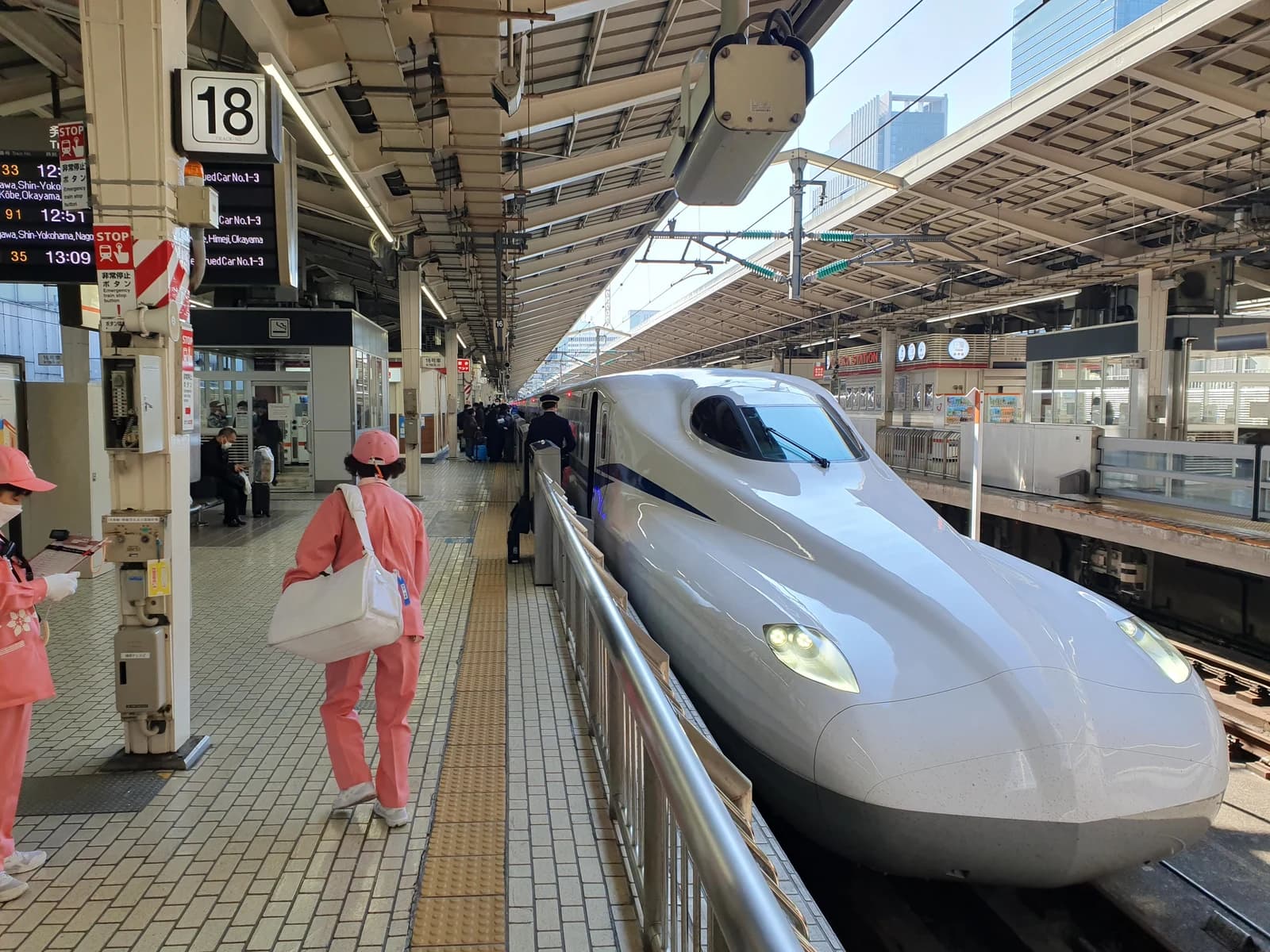
Japan Rail Pass 2026: Worth ¥50,000? Calculator Inside
